← all work
(03)Loan Manager Microsoft · 2020

Every loan, from application to closing.

A Microsoft Financial Services Cloud product that automates and streamlines the loan lifecycle for loan officers and the teams around them.

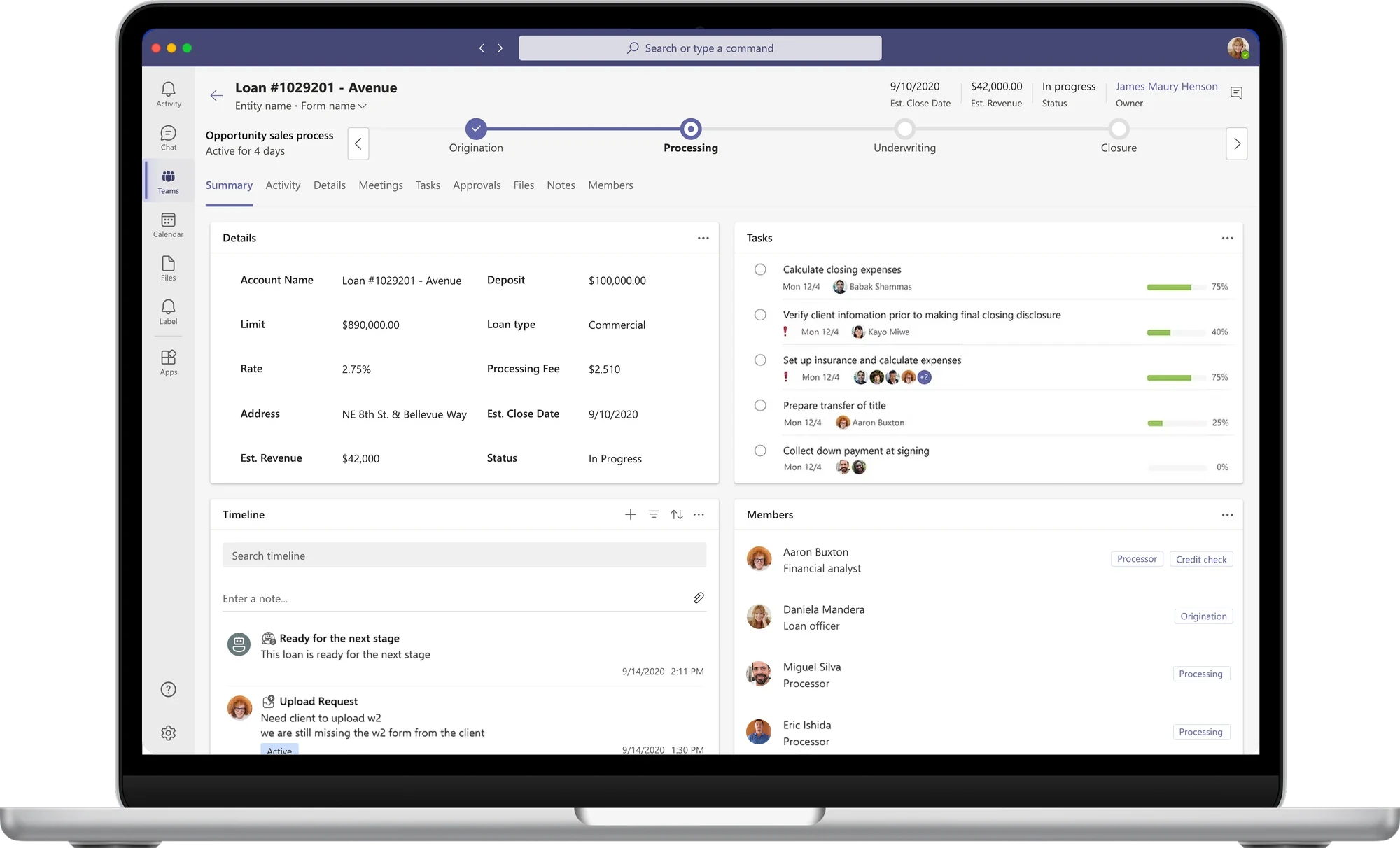
Laptop showing a loan in Loan Manager inside Microsoft Teams: process stages, loan details, tasks, timeline and team members
(role)
Product Design Lead
(team)
Product design, program management, engineering, UX writing, UX research
(timeline)
Mar – May 2020
Launched
(tools)
Figma, Sketch, InVision
Adobe CC, UserTesting

(the problem)

Taking a loan from application to closing involves many people, documents and handoffs. Loan officers need to know where every loan stands, what's left to do and who owns it.

(the solution)

Loan Management within Microsoft Teams, bringing tracking, processing, internal collaboration and customer engagement together where lending teams already work.

(my role)

I led product design across a cross-functional team of program management, engineering, UX writing and UX research, from concept to launch in 2020.

the final design

Everything about a loan, on one screen, inside the tool the team already uses.

(01) Track

See where every loan stands

A stage tracker runs across the top of each loan, from origination through processing and underwriting to closing, with the close date, revenue, status and owner always in view.

Loan header with a stage tracker: origination complete, processing in progress, underwriting and closing ahead
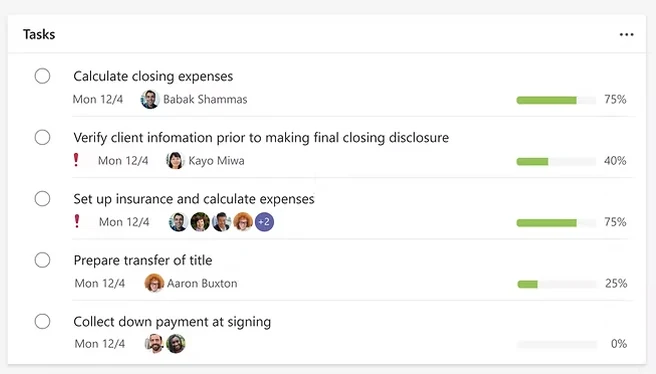
Tasks card listing closing steps with owners, due dates, urgency flags and progress bars
(02) Process

Know what's left to do

Loan details and tasks sit side by side. Each task shows its owner, due date and progress, and urgent items are flagged, so nothing slips before closing.

(03) Collaborate

Work as one team, in Teams

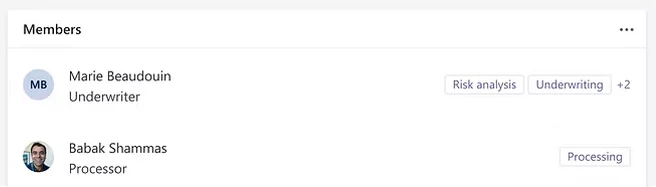
Every loan has its members, each tagged with their role and responsibilities, from underwriter to processor. Chat, meetings, files and approvals are one tab away, without leaving Microsoft Teams.

Members card: an underwriter and a processor, each tagged with their responsibilities Loan details card: account, limit, rate, address, loan amount, deposit, type, fees, close date and status
(04) Meet

Walk into every client meeting prepared

The loan pops out right inside the Teams call. Loan officers see the client's profile, documents and history while they talk, so the time goes to the conversation, not to looking things up.
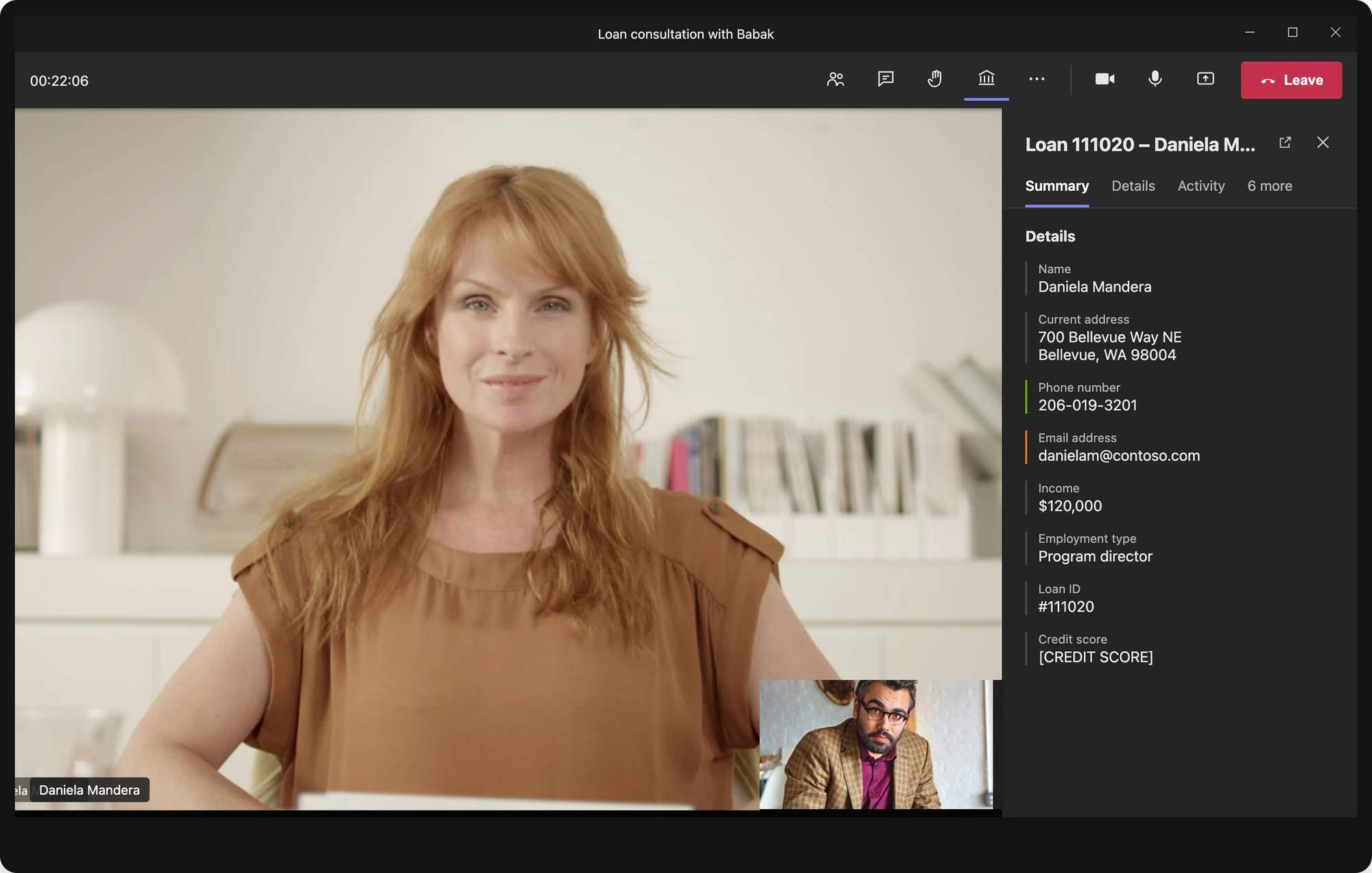
A Teams video call with a client, with the loan pop-out open beside it showing client information and documents
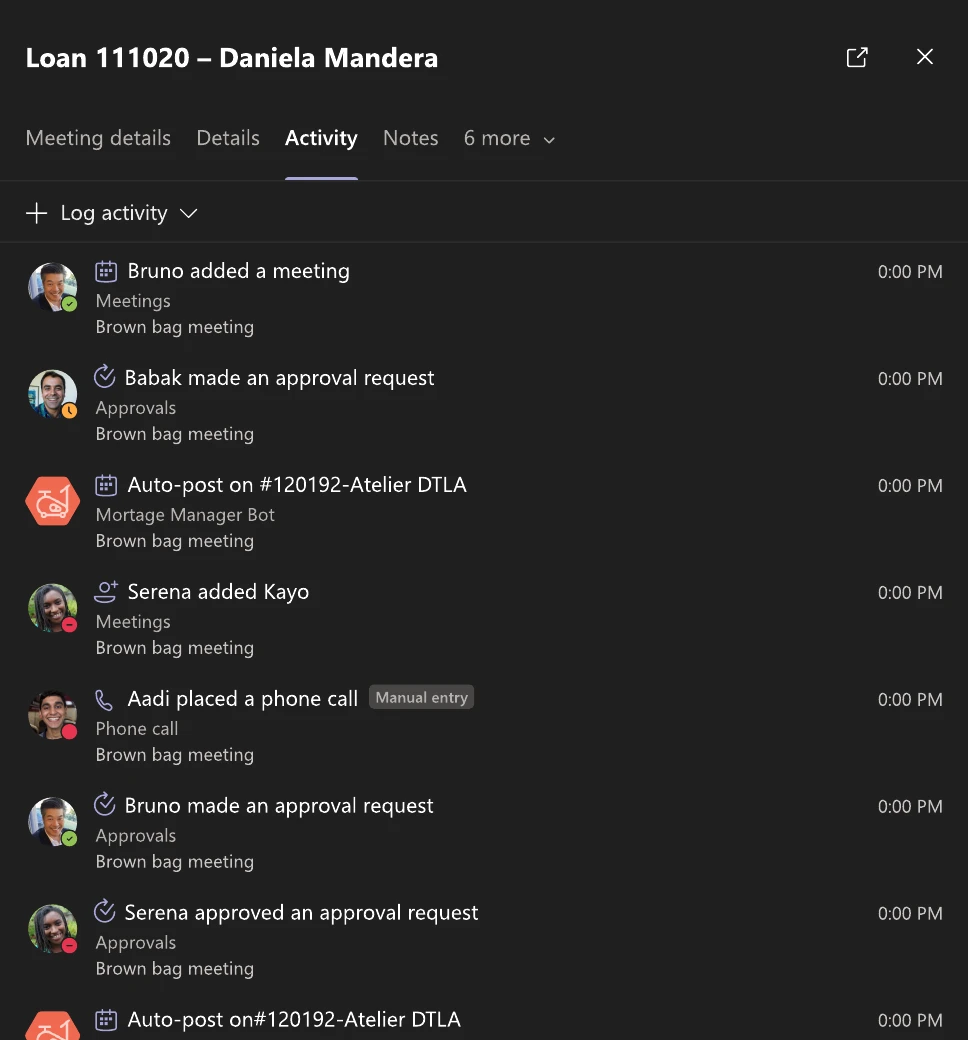
Activity tab listing recent meetings, approvals, phone calls and posts on the loan
(before) Get up to speed Every meeting, call and approval on the loan in one feed, so the officer knows what's changed since they last spoke.
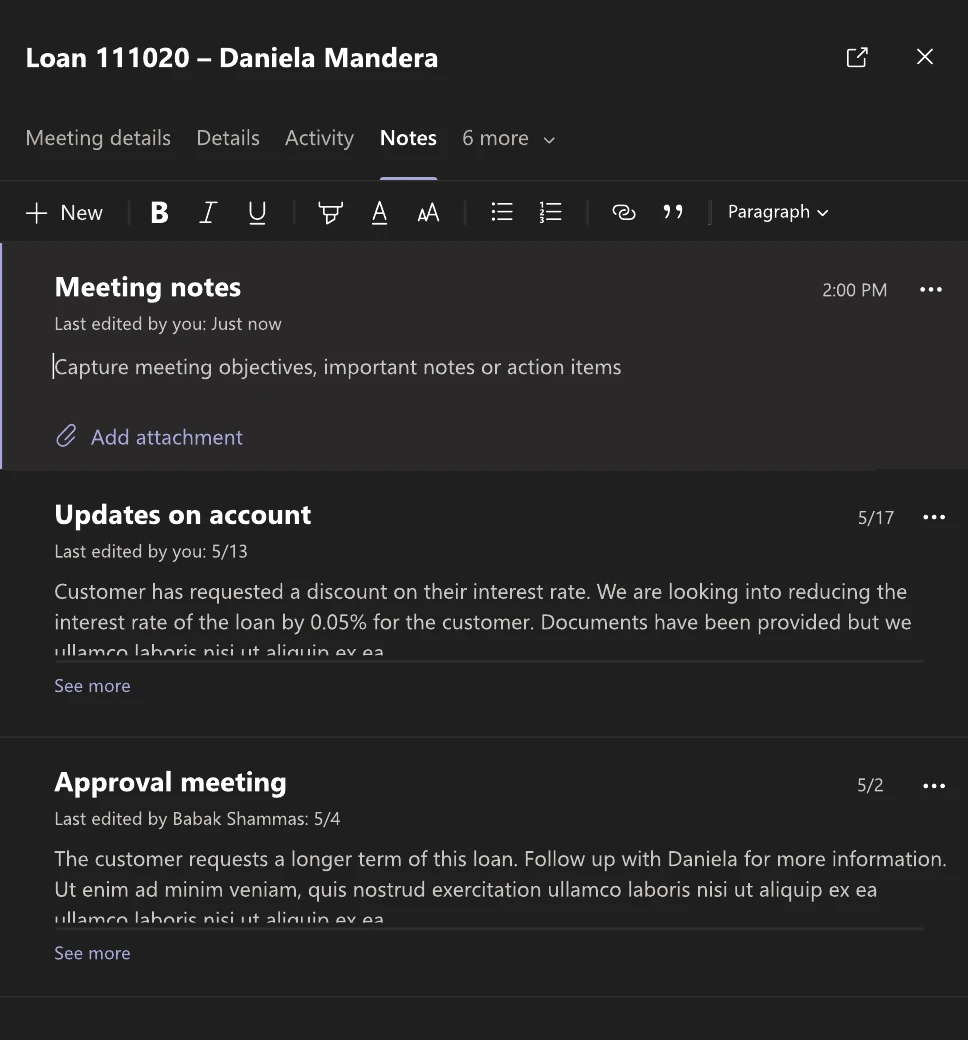
Notes tab with a new meeting note and earlier notes on account updates and an approval meeting
(during) Capture what matters Notes are taken on the loan itself, next to past notes from the team, so requests and action items aren't lost after the call.
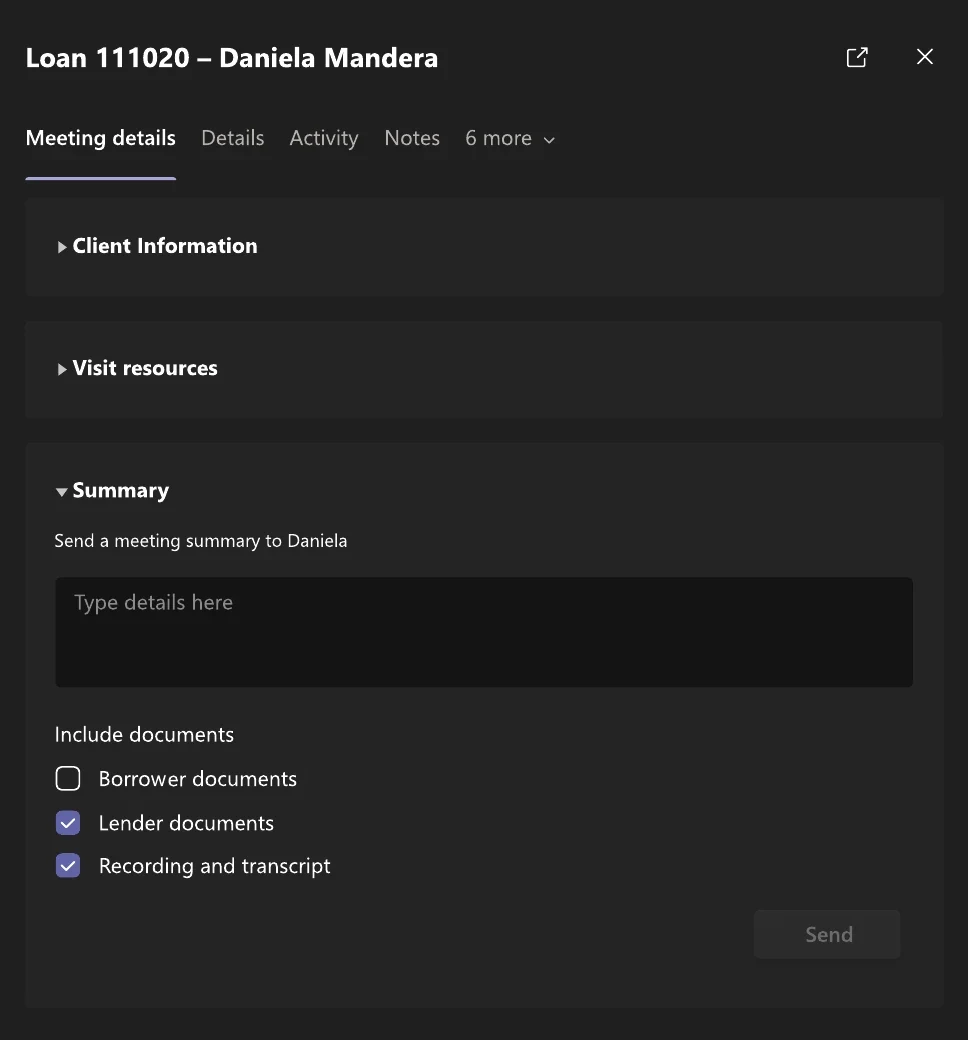
Summary section for sending the client a meeting summary with lender documents and the recording and transcript
(after) Follow up Send the client a summary with the right documents and the meeting recording and transcript attached, straight from the call.

impact

  1. 01Brought the loan lifecycle into a single view, from application to closing
  2. 02Connected loan work to collaboration inside Microsoft Teams
  3. 03Shipped as part of Microsoft's Financial Services Cloud

Launched 2020

Want the full story? Get in touch for more detailed examples.
(next project)

Index Builder